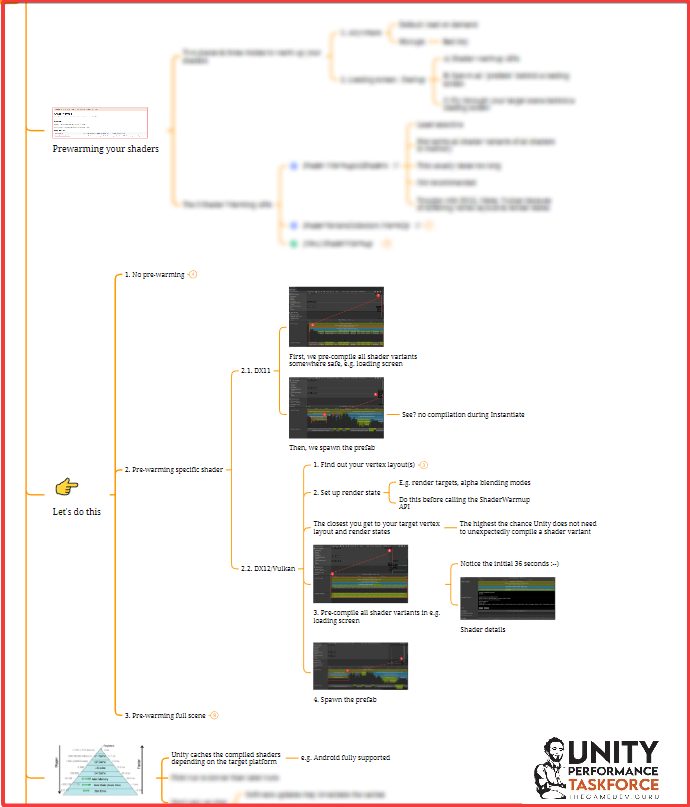
Think of runtime shader compilation in Unity. A process that takes anywhere between seconds... to 10 minutes.
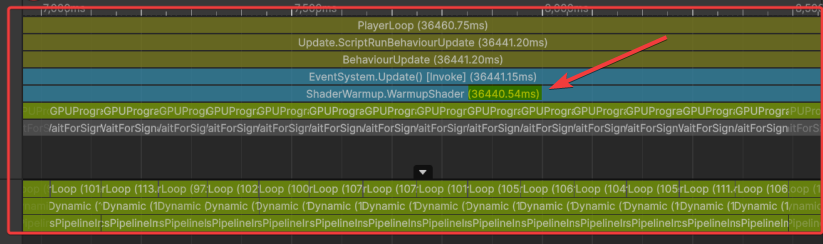
If you don't handle those compilations properly, they ruin your gameplay. In other words: Unity causes frame hiccups the moment they hurt the most.
Think of a shooter. Causing a frame-rate hiccup will make you miss the headshot you trained so hard for (not that you would have made it work anyway but). Or think of VR: a single hiccup is all it takes to get your game rejected from the store, or arguably worse, invite your players to a barf party.
So you can't truly afford these hiccups caused by the lack of proper shader prewarming. Which takes more effort and expertise than it initially looks like.
The key to prewarm your shaders in an controlled manner: do so in the right moment (typically loading screens) through a cherry-picked mechanism:
- A) Use one of the three APIs Unity provide: Shader.WarmupAllShaders, ShaderVariantCollection.WarmUp, ShaderWarmup.*. Each of these have their benefits and pains (especially on DX12/Vulkan/Metal).
- B) Spawn & fly through your "hidden" prefabs/scenes behind a loading screen to force shader compilation.
I dedicated the entire PerformanceTaskforce module of November to shader prewarming. But if you need this problem solved quickly, let's talk.
Happy game developing. And don't forget to help your own players pay YOU money.
Ruben (TheGameDev.Guru)